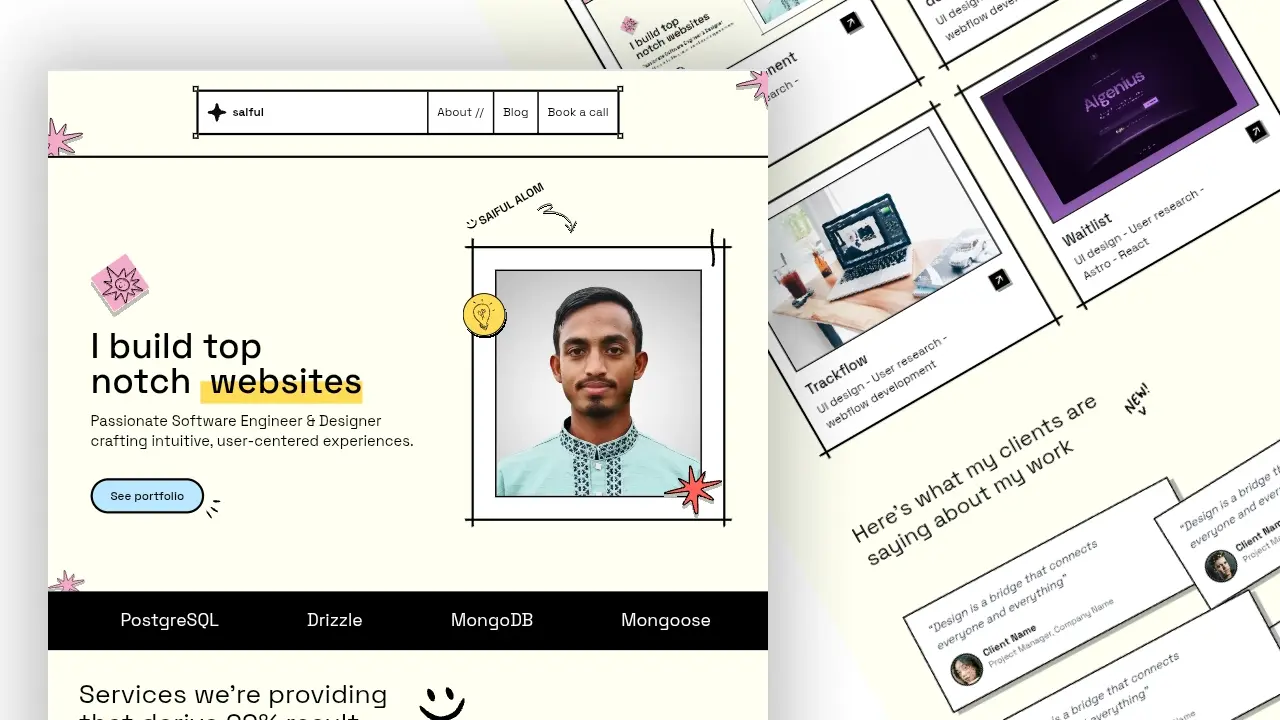
This portfolio is my personal home on the web. I built it to present my projects, writing, and technical journey in one place while keeping the site fast, simple, and easy to maintain.
It is designed as both a professional portfolio and a digital garden. That means I can use it to show my work to recruiters, share case studies for freelance clients, and document what I learn as I build new things.
You can view the live site here: saifulalom.com
Why I Built It
I wanted a portfolio that does more than list projects. I wanted a site that shows how I think, how I build, and how I learn over time.
This project helps me:
- present my work clearly to recruiters
- share case studies and technical writing
- keep notes about tools, workflows, and fixes
- maintain a fast and lightweight site
- avoid depending on a heavy hosted platform
What It Includes
The portfolio includes:
- a clean home page
- project cards and blog posts
- a searchable content experience
- responsive layout and navigation
- structured blog content with typed Markdown
- performance-focused design choices
- SEO-friendly page metadata
Why I Chose Astro
I chose Astro because it fits content-heavy personal sites very well.
Astro gives me:
- fast page loads
- minimal client-side JavaScript by default
- built-in support for Markdown content
- strong SEO performance
- easy deployment across different platforms
Since this site is mostly content, projects, and writing, Astro is a better fit than a heavier app framework.
Why Not Next.js
I did not use Next.js because this project does not need a large application runtime.
Astro works better here because:
- the site is mostly static content
- performance matters more than app complexity
- I want simple content management
- I do not need server-heavy features for a portfolio
Tech Stack
- Astro
- React
- Tailwind CSS
- Framer Motion
- Astro Content Collections
- TypeScript
Content Model
I use Astro Content Collections to keep blog posts and project pages structured and type-safe.
This makes the site easier to maintain because every post follows a defined schema for:
- title
- description
- category
- featured flag
- publish date
- update date
- thumbnail image
That keeps the content clean and consistent as the site grows.
Key Features
- Searchable blog and project content
- Structured project pages
- Clean brutalist-style design
- Fast static rendering
- SEO-friendly metadata
- Responsive layout
- Type-safe Markdown content
System Architecture
The site is built around structured content and reusable UI components.
Markdown/MDX Content -> Content Collections -> Type-safe Schema -> Page Components -> Static SiteThis setup helps me treat knowledge as data, so I can add more writing and project case studies without breaking the site structure.
Project Structure
portfolio/
├── public/            # Images, fonts, and static assets
├── src/
│   ├── assets/        # Icons and UI graphics
│   ├── blogs/         # Blog and project markdown content
│   ├── components/    # Reusable UI components
│   ├── constants/     # Site config and content metadata
│   ├── layouts/       # Page layouts
│   ├── lib/           # Helper functions
│   ├── pages/         # Routes
│   ├── schema/        # Content schema definitions
│   └── styles/        # Global styles
└── astro.config.mjs
What I Learned
Building this portfolio taught me how to:
- structure content for long-term maintenance
- design a fast personal site
- balance performance with good visuals
- use typed content collections
- present my work in a more professional way
It also made me better at thinking about my own work as a product, not just as code.
Why It Matters for Freelance Work
This project shows that I can build:
- personal portfolios
- business websites
- content-driven sites
- technical blogs
- fast marketing pages
- maintainable static websites
That is useful for freelance clients who want a site that looks professional, loads quickly, and is easy to update.
Live Site
You can visit the portfolio here: saifulalom.com
Final Thoughts
This portfolio is one of my most important projects because it combines engineering, writing, design, and product thinking.
It represents how I want to work: build something fast, keep it clean, and make it useful for both recruiters and clients.